A songwriting studio in your pocket
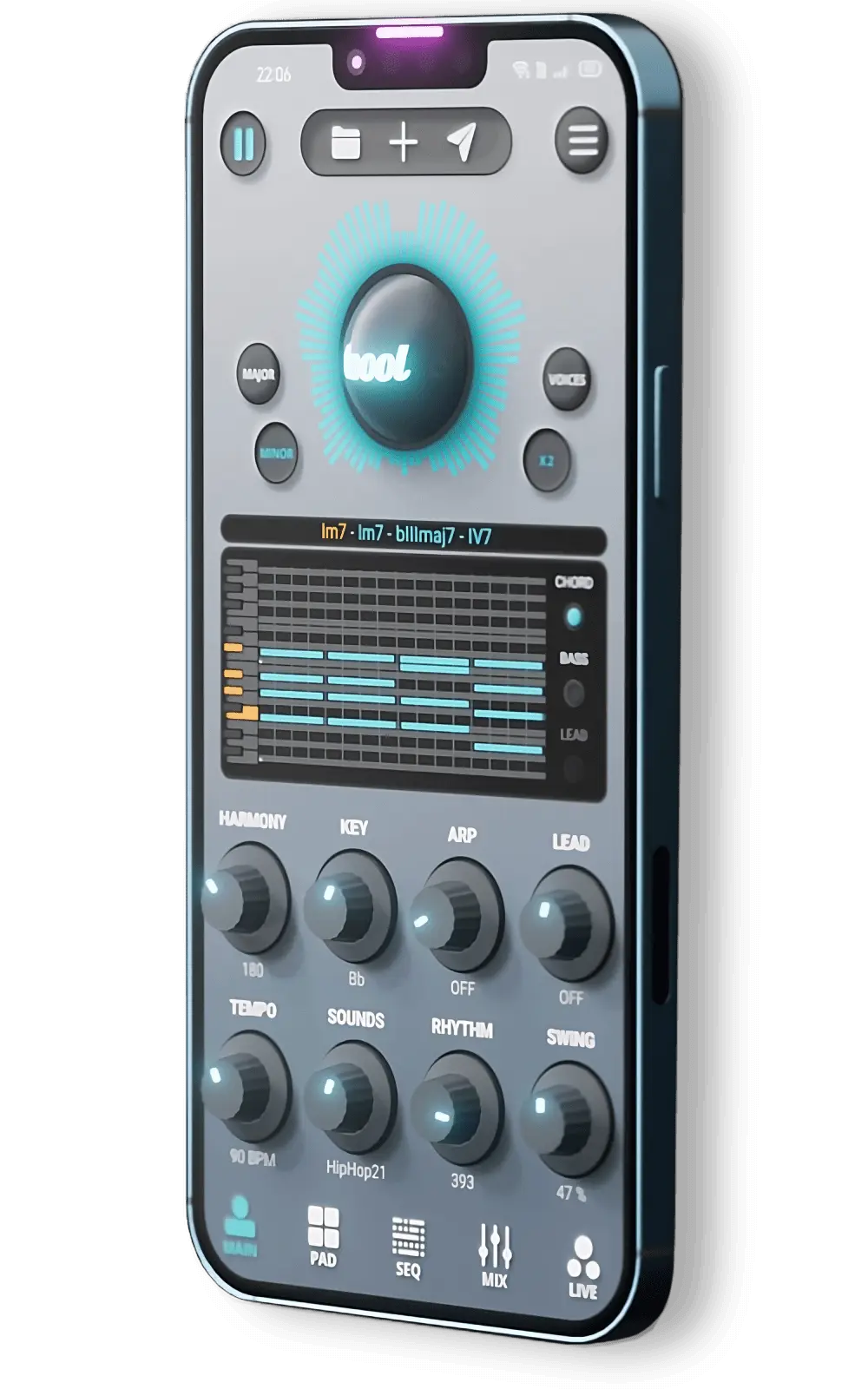
Toool is a music-making app for iOS and Android, designed for everyone: beginners, beatmakers, DJs, producers and musicians. Its idea: let you write real music, with real harmony, in a few taps, wherever you are.
What makes it different
Real chord progressions
Toool offers 460 chord progressions, from simple diatonic chords to richer harmony: inversions, secondary dominants, diminished and extended chords, modal progressions, modal interchange. Not random notes, but sequences that sound like music.
Ready-to-play grooves
1000 rhythm patterns for drums, bass and keys let you start a track with a solid groove and then develop the idea.
Varied sounds
200 sample packs change the sound of every instrument: synths, drums, acoustic kits. Changing pack often means finding a new direction for the track.

The main features
The music generator
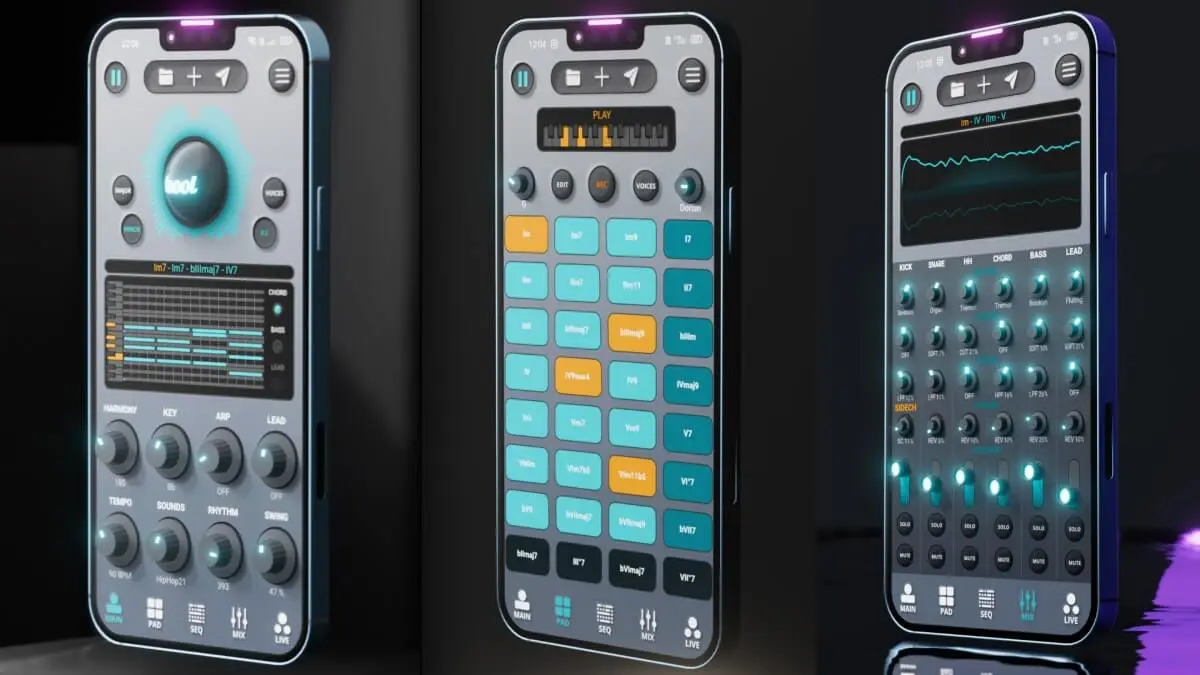
An interface with adjustable knobs, toggles, real-time playback, a piano roll and a timeline to build and visualise the track.
The composition tools
Editable chord pads, a step sequencer, a mixing console and a LIVE section to develop the track live.

The mixing console
Balance the instruments, bring parts in and out, and mix live during playback.

Project management
Unlimited presets, undo/redo, autosave: recall any setting at any time. Projects are stored on the device.
Toool App
Make music on your phone, finish it in your DAW.
Free on iOS & Android
See Toool AppFree and PRO
The app is free and gives access to the essentials. The PRO version (monthly subscription with a 7-day trial, or a one-time lifetime purchase) adds:
- export of the mix as WAV, stems per instrument and MIDI;
- more instruments and sounds;
- project import and export;
- extended features in the LIVE and SEQUENCER modules;
- no ads.
From phone to DAW
With stems and MIDI, an idea born in the app is easy to finish in Ableton Live, Logic Pro, FL Studio or Cubase. That's where the Toool plugins take over: Anodyn for compression, Anadrive for saturation, Reverbia for space. See our guide to exporting from the app.
Who is it for?
Beginners
Chord progressions and patterns make a track sound good from the first minutes, and let you learn harmony by listening.
Experienced musicians
Advanced harmony, the sequencer and MIDI export make it a real sketchbook to take anywhere.
Live use
The LIVE and PAD sections and the console also work at jams or on stage: see our tips for playing live.
Getting the most from the app
- Beat the blank page: start from a chord progression, then change one thing at a time.
- Explore the sound packs: the same progression can take on a completely different colour.
- Use the console: removing an instrument is often more effective than adding one.
- Export your projects regularly: that's your backup.
Good to know
- Works on iOS 13 and later (iPhone, iPad) and Android 9 and later; the layout adapts to tablets.
- The app doesn't record audio and can't yet import your own sounds.
- All the music you create belongs to you, including for release or sale.
Conclusion
Toool makes writing music simple without making it simplistic: real harmony, real grooves and a direct route to your DAW. To compare with other apps, see our pick of the best music-making apps of 2027.