A groove in your pocket
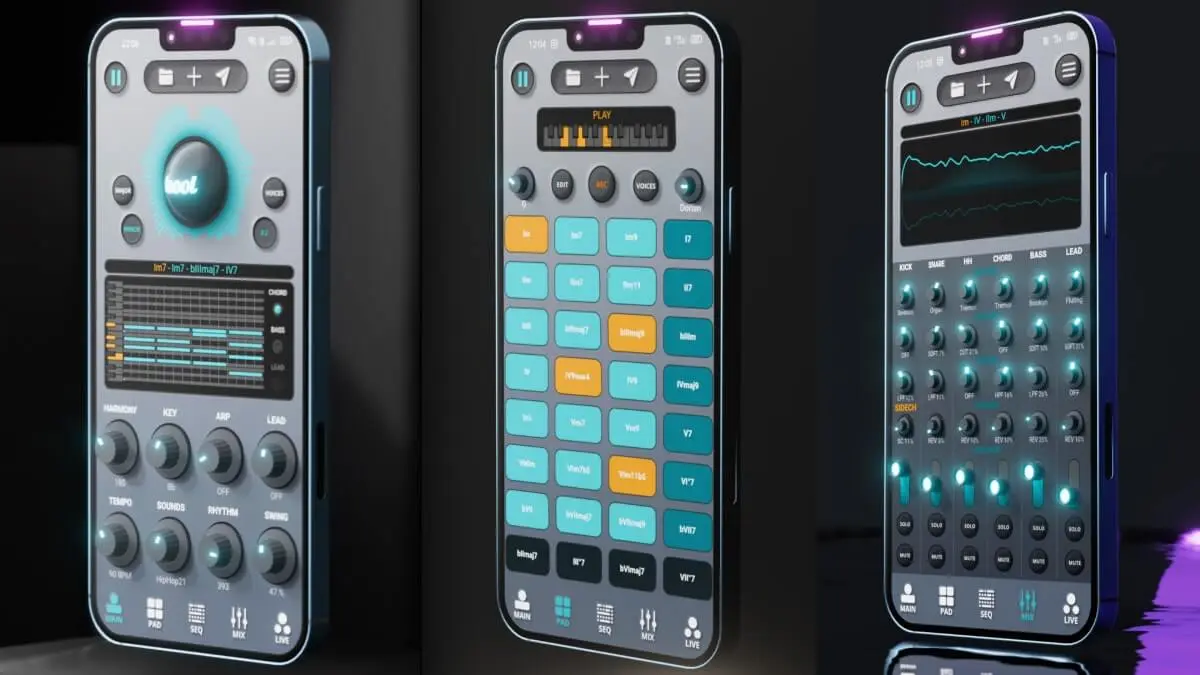
The Toool app isn't just a writing tool: with its LIVE and PAD sections, chord pads, sequencer and mixing console, it's also great for jamming with other musicians or launching grooves on stage.
Prepare before you play
Live adjustments are limited during live recording, so preparation is key.
- Pre-arrange your sequences: verse, chorus, bridge, ready to chain.
- Start from patterns: with 1000 rhythm patterns and 460 chord progressions, you find a base quickly.
- Pick your sounds in advance from the 200 sample packs.
- Save presets: they're unlimited, so use them as "scenes" to recall.
Playing
The LIVE section
It lets you develop the track live from what you've prepared: bringing elements in or out, switching sections.
The PAD section
The chord pads are played with your fingertips: ideal for backing a singer or an instrumentalist at a jam.
The mixing console
Raise and lower instruments live to create build-ups, breaks and big drops back in.
Toool App
Make music on your phone, finish it in your DAW.
Free on iOS & Android
See Toool AppTechnical checklist
- A charged battery, and a cable within reach.
- Airplane mode and "do not disturb": no notifications during the set.
- A reliable audio output: a cable or audio interface to the PA rather than Bluetooth, which adds latency.
- Headphones to prepare what's next without the audience hearing.
- A backup of your projects exported before the gig (PRO version).
- A full rehearsal in gig conditions.
After the jam
A good idea found at a jam deserves to be finished. With the PRO version, export the track as stems or MIDI and complete it in your DAW (see our guide to exporting from the app).
In short
Prepare your sequences and presets, play with LIVE, PAD and the console, and get the tech right: the Toool app then becomes a real jam instrument. For other apps, see our pick of the best music-making apps of 2027.