In short
- First purchase: Reverbia
- Free EQ: TDR Nova
- Free reverb: Valhalla Supermassive
- Learning to listen: Diffonic
- First compressor: Klanghelm DC1A
- Ideas on mobile: the Toool app (free)
- Loudness metering: Youlean Loudness Meter (free)
The three classic beginner mistakes
- Buying too many plugins. Every new tool takes time to master. Five plugins you know inside out are worth more.
- Pushing everything too hard. Too much reverb, too much compression, too much top end: the mix becomes tiring. Good settings are often subtler than you think.
- Judging by loudness. A process that raises the level always seems better. Comparing at equal loudness changes everything.
The 7 best plugins for beginners in 2027
1. Reverbia: the reverb that sounds good right away
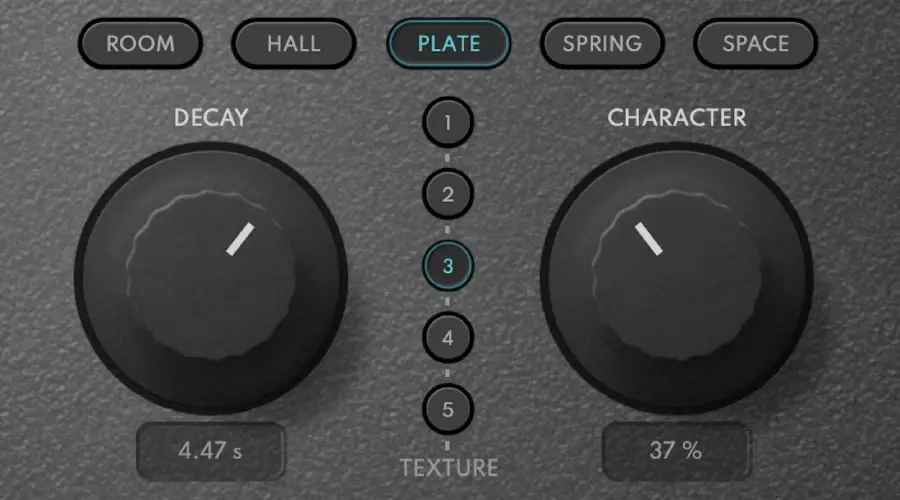
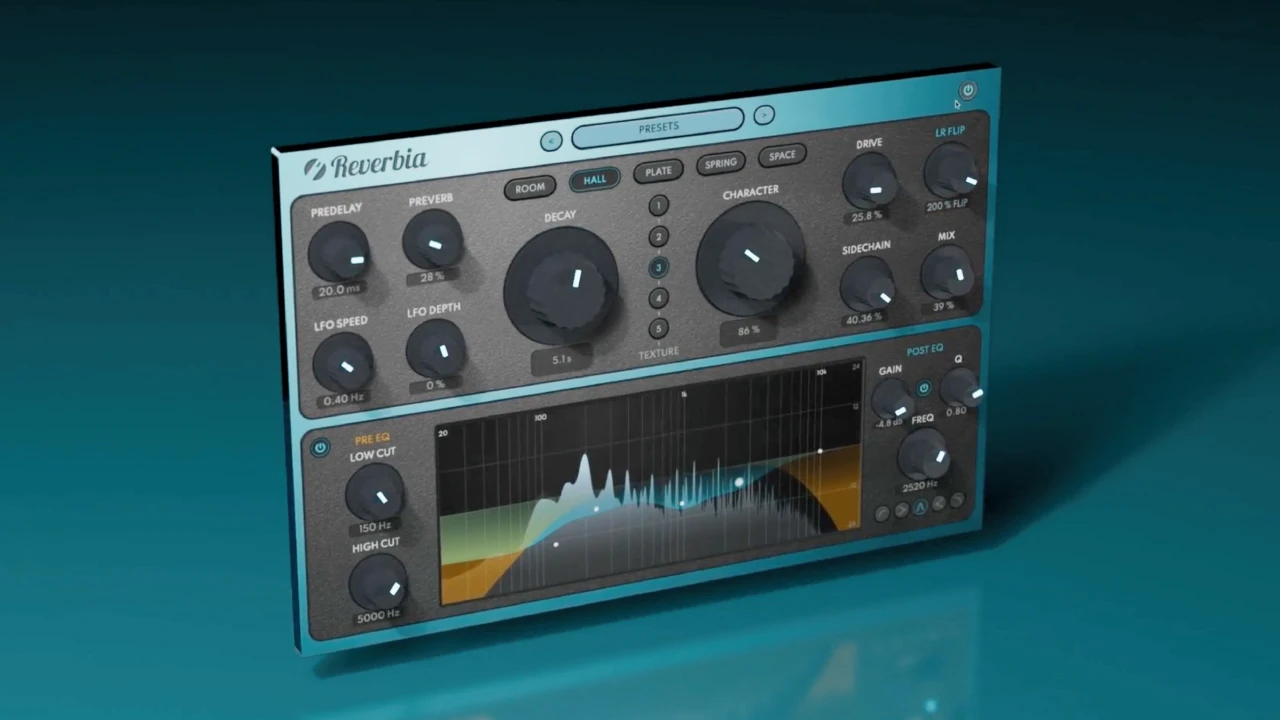
When you're starting out, an overly technical reverb is discouraging. Reverbia is designed to give a good result immediately: pick a type (ROOM, HALL, PLATE, SPRING or SPACE), a variation, then turn the CHARACTER knob to move from a natural space to a wide, unreal atmosphere. No need to understand ten parameters to sound right.
And the day you want to go further, everything is there: EQ, drive, ducking so the reverb steps back while the vocal sings, shimmer, LFO. A plugin that keeps up with your progress instead of holding it back.
Reverbia
The all-in-one reverb: 25 reverbs, from realistic rooms to otherworldly spaces.
$79 $158 -50%
VST3 · AU · AAX · Windows & macOS
See Reverbia2. TDR Nova: the free EQ that lasts
A clear equalizer, with an analyzer to see what you're doing and dynamic bands to tame sibilance. More than enough for your first years.
3. Valhalla Supermassive: the free reverb for dreaming
Huge spaces and echoes for ambient, pads and guitars. Perfect for experimenting without spending a cent.
4. Diffonic: the best listening teacher
Getting better at mixing means learning to hear. Diffonic compares two versions at equal loudness (automatic LUFS matching) and offers a 6-step blind test. You quickly discover which settings really change the sound… and which do nothing. A great exercise, and a safeguard before every purchase.
5. Klanghelm DC1A: understanding compression
Two main knobs, a musical sound: ideal for understanding what a compressor does without drowning. Later, a more complete compressor like Anodyn opens the door to vintage colors, sidechain EQ and stereo link.
6. The Toool app: ideas anywhere, for free

Ideas rarely show up when you're at the computer. The Toool app lets you build a chord progression with assisted harmony suggestions, a rhythm with its sequencer and melodies with its synth and drum sounds, then export the result to finish it in your DAW. A fun way to learn harmony.
7. Youlean Loudness Meter: knowing how loud you are
To understand LUFS and know whether a track is too loud or too quiet for Spotify or YouTube. Simple and free.
The plan for your first month
| Week | Goal | Tools |
|---|---|---|
| 1 | Capture ideas, learn chords | Toool app |
| 2 | Balance a mix: levels, panning, EQ | DAW + TDR Nova |
| 3 | Add depth | Reverbia or Supermassive |
| 4 | Compare, fix, check loudness | Diffonic + Youlean |
2027 verdict
To get started, few tools but the right ones: solid free plugins, a reverb that sounds good right away like Reverbia, and a tool like Diffonic to learn to listen. Add the Toool app so you never lose an idea, and you have everything you need to progress fast in 2027.
Frequently asked questions
Which plugin should a beginner buy first?
A good reverb, because it's the fastest way to a 'produced' sound. Our 2027 pick is Reverbia ($79): its CHARACTER knob gives musical results in one move, without mastering ten parameters.
Do you need lots of plugins to produce well?
No. A handful of well-mastered tools beats fifty plugins you barely know. Start with your DAW's plugins and a few free ones.
How do you learn to hear the difference between two settings?
By comparing at equal loudness, ideally blind. A tool like Diffonic matches levels automatically and offers a 6-step test: it's one of the best listening exercises there is.
Can you start making music on a phone?
Yes, and it's a great way to capture ideas. The Toool app, free on iOS and Android, helps you create chords, rhythms and melodies, then continue on a computer.