Fewer plugins, better chosen
It has never been easier to pile up plugins, or easier to get lost in them. An efficient studio relies on a few tools you know inside out, one per need, rather than ten compressors opened at random. This guide covers the essential categories, what your DAW already does, and what's worth adding.
Before buying anything: the plugins that come with Logic Pro, Ableton Live, FL Studio, Cubase or Reaper are good. A third-party plugin has to bring something specific: a sound, speed, a missing feature.
1. Compression
It's the tool you use most: vocals, drums, bass, buses. You need one that can be both transparent and colourful.
- Anodyn: the classic controls (ATTACK, RELEASE, RATIO, COMPRESS, MIX) plus CHARACTER, from clean to harmonically rich, SMOOTH, from fast and modern to soft and vintage, SIDECHAIN EQ and STEREO LINK. A single compressor that covers many colours.
- FabFilter Pro-C 3: a reference for precision and visual feedback.
- Emulations of classics (1176, LA-2A, SSL) for a very specific colour.
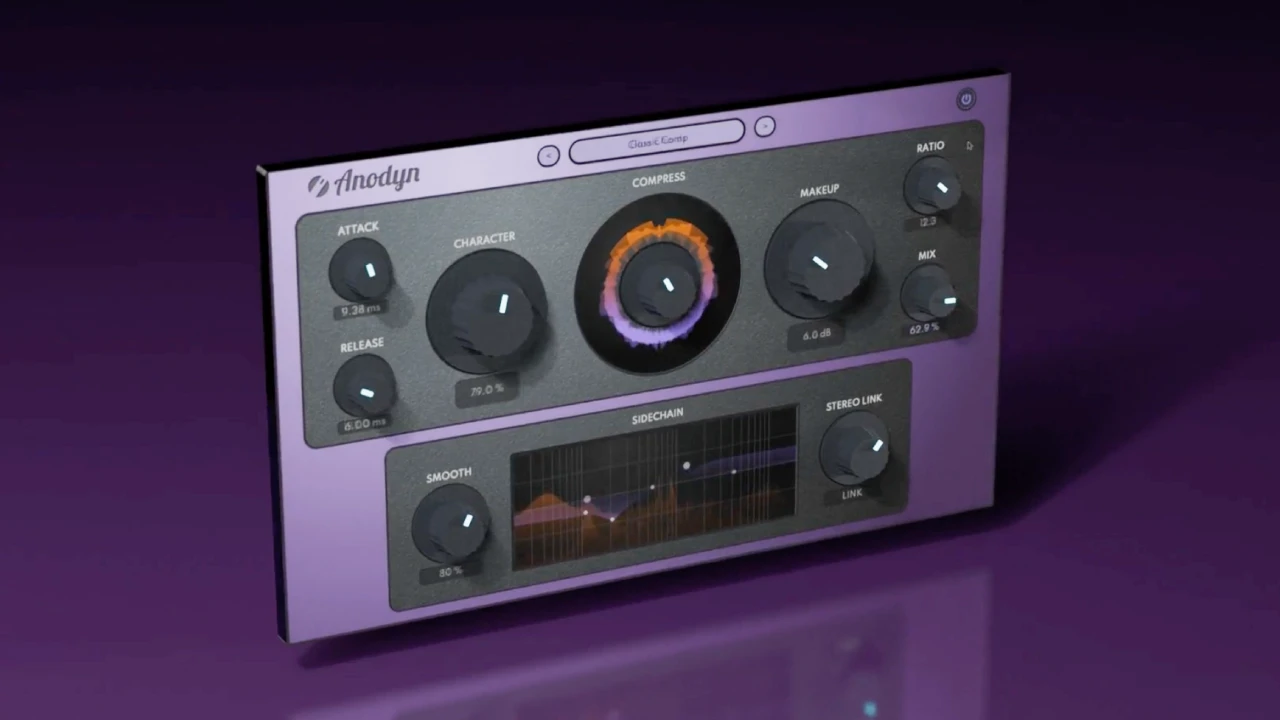
Anodyn
One compressor, every color: from transparent to vintage.
$59 $118 -50%
VST3 · AU · AAX · Windows & macOS
See Anodyn2. Saturation
It adds density and presence, and helps a sound come through on small speakers.
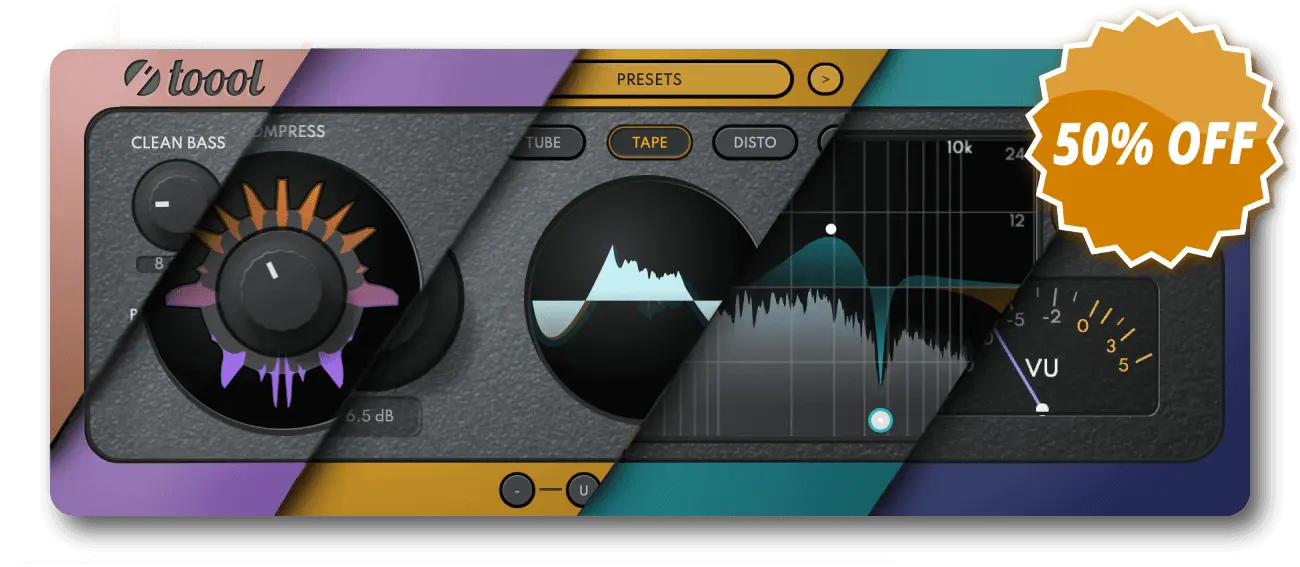
- Anadrive: five modes (SOFT, TUBE, TAPE, DISTO, FUZZ), separate DRIVE and GRAIN, CLEAN BASS to keep the lows firm, BRIGHTNESS, CONSOLE and MIX.
- Soundtoys Decapitator and FabFilter Saturn 2 for vintage colours or multiband work.
- Free: Klanghelm IVGI, very good to start with.
3. Reverb and space
- Reverbia: 25 reverbs (ROOM, HALL, PLATE, SPRING, SPACE × 5 variations), CHARACTER from realistic to unreal, drive, dual EQ, width, sidechain ducking, plus hidden shimmer, LFO and tremolo.
- Valhalla VintageVerb for value for money, the free Valhalla Supermassive for huge spaces.
- FabFilter Pro-R 2 for very precise control.
4. EQ and resonances
- Your DAW's EQ is enough for most corrections.
- FabFilter Pro-Q 4 for dynamic bands, mid/side and benchmark ergonomics.
- oeksound soothe2 to tame resonances and harshness dynamically.
5. Vocals
- Celemony Melodyne for note-by-note pitch and timing editing.
- Two-stage compression (two instances of Anodyn, for example), a de-esser, then a reverb with ducking.
6. Analysis and decision-making
This is the most often forgotten category, and yet the one that prevents the most mistakes.
- Diffonic: A/B comparison with automatic level matching (LUFS) and a six-step blind test with a final score. Essential to know whether a treatment, a plugin or a master really improves the sound.
- Lufsonic: a standalone app for LUFS analysis and normalisation (ITU-R BS.1770-4, EBU R128), true peak, LRA, ready-made delivery formats (streaming, podcast, broadcast) and batch processing.
- Free: Youlean Loudness Meter to measure loudness in the session.

Diffonic
Find out if a change really sounds better: level-matched A/B and blind test.
$29 $58 -50%
VST3 · AU · AAX · Windows & macOS
See Diffonic7. Utilities and organisation
- Renamely: a standalone app for batch-renaming audio files, with keyword rules, preview, duplicate detection and backup. Ideal for tidying sample libraries or preparing stems.
- iZotope RX for restoration: noise, clicks, hum.
8. Instruments
The instruments that come with your DAW are a good start. Common additions include a wavetable synth such as Serum 2 (or the free Vital) and a large all-round instrument such as Omnisphere. It's better to master one synth than to skim five.
By style
- Electronic: Anadrive (DISTO, FUZZ, CLEAN BASS) on basses, Reverbia (shimmer, LFO) on leads, a coloured Anodyn on the drum bus.
- Hip-hop and R&B: Anadrive with CLEAN BASS on 808s, two Anodyns on the vocal, Melodyne.
- Rock: Anodyn with high CHARACTER on drums, Anadrive in TAPE on the bus, Reverbia in ROOM or PLATE.
- Acoustic and jazz: gentle compression (SMOOTH to the right, CHARACTER low), natural reverbs, very little saturation.
Building your setup step by step
Step 1: the foundations
Your DAW's plugins, free tools (Supermassive, IVGI, Youlean) and a matched-volume comparison tool such as Diffonic to learn to judge accurately.
Step 2: the pillars
A compressor and a reverb you'll use everywhere, such as Anodyn and Reverbia, then a saturator such as Anadrive.
Step 3: the specialists
Depending on your needs: Pro-Q 4, soothe2, Melodyne, RX, Lufsonic for delivery, Renamely for organisation.
At each step, take the time to learn your tools before adding more. Try the demo versions on your own tracks.
In short
A versatile compressor, a saturator, a reverb, a good EQ, a tool to compare at matched volume and a few utilities: that's the essentials. The rest depends on your music. To go further, see our picks of the best mixing plugins, plugins for beginners and free plugins.