The 9 mistakes at a glance
- Reverb on an insert instead of a send.
- No predelay.
- A decay that ignores the tempo.
- An unfiltered reverb return.
- Reverb that amplifies sibilance.
- No ducking.
- Setting the reverb in solo.
- A reverb so wide it vanishes in mono.
- Reverb where a delay would do better.
1. Reverb on an insert instead of a send
Putting the reverb directly on the vocal track with a mix knob works, but you lose control: impossible to EQ the reverb alone, to duck it or to share it with the backing vocals. Fix: put the reverb on an aux track at 100% wet and send the vocal to it.
2. No predelay
Without predelay, the reverb starts at the same time as the word and smears its attack. The voice moves back and loses intelligibility. Fix: start with 20 to 80 ms of predelay, or sync it to the tempo.
3. A decay that ignores the tempo
A tail that is still ringing when the next phrase starts piles up and blurs the mix, especially on fast songs. Fix: shorten the decay so it fades before the next phrase, or sync it to the tempo. Keep long tails for slow songs and for effects.
4. An unfiltered reverb return
The low end of the reverb builds up under the voice and muddies the whole mix, and very bright tails make it sound harsh. Fix: cut the lows of the reverb return and soften the highs. A reverb with an EQ before and after makes this easy: the first keeps the low end and the sibilance from entering the reverb, the second shapes the tail.
5. Reverb that amplifies sibilance
Every "s" sent into a bright reverb comes back as a long hiss. Fix: de-ess the signal before the send, or use a de-esser or a high cut at the reverb input.
6. No ducking
A reverb at a constant level competes with the words it should support. Fix: duck the reverb with the dry vocal: it drops while the singer sings and comes back between phrases. You get depth without blur.
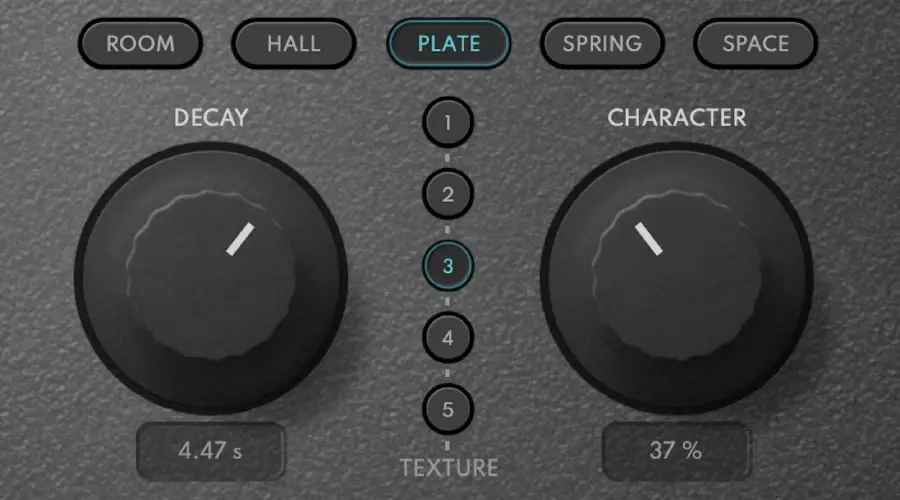
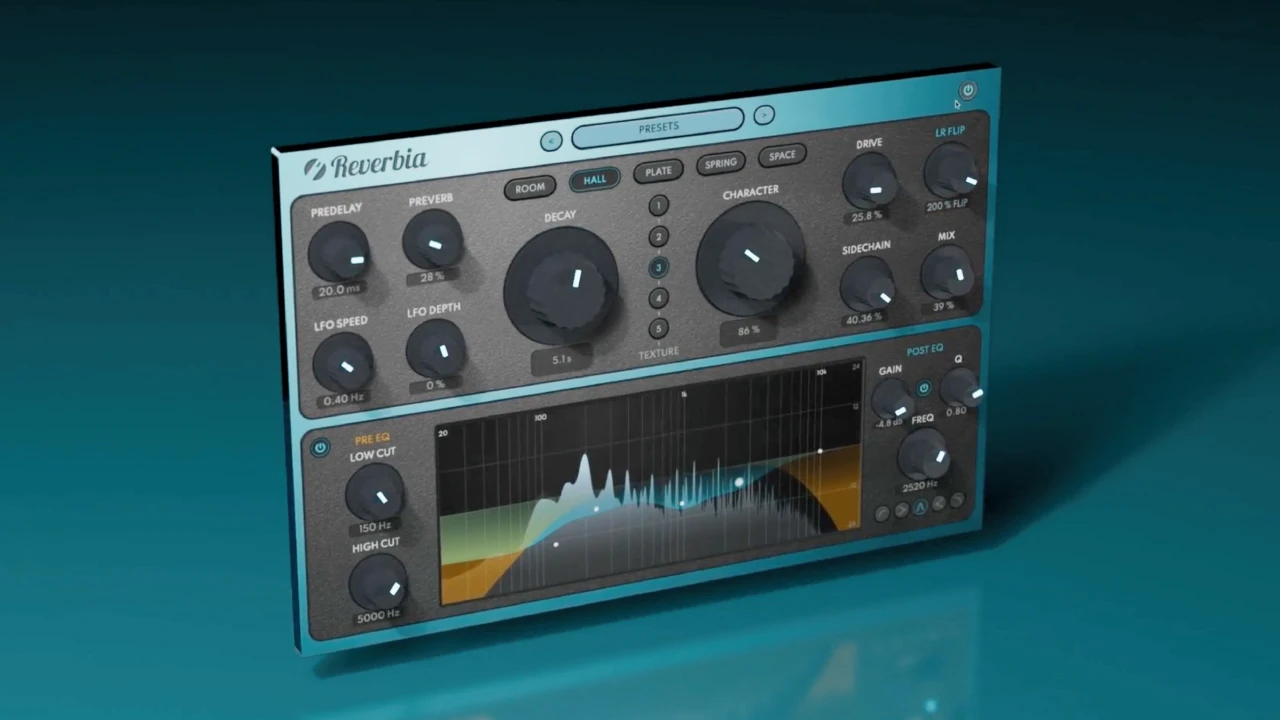
Reverbia gathers the tools for these fixes in one window: EQ before and after the reverb, a built-in sidechain for ducking, tempo-synced predelay and decay, and a WIDTH control from mono-compatible to very wide.
Reverbia
The all-in-one reverb: 25 reverbs, from realistic rooms to otherworldly spaces.
$79 $158 -50%
VST3 · AU · AAX · Windows & macOS
See Reverbia7. Setting the reverb in solo
In solo, a vocal reverb always seems too quiet, so we turn it up. Back in the mix, it drowns the voice. Fix: set the reverb level with the full mix playing. A good test: mute the reverb. If the voice suddenly seems dry and flat, the level is right. If you hardly hear the difference, it is too low. If the voice sounds clearer without it, it is too high.
8. A reverb so wide it vanishes in mono
A very wide reverb sounds impressive on headphones, but part of it can cancel in mono, on a phone or a Bluetooth speaker. Fix: check in mono and reduce the width if the reverb disappears or changes too much.
9. Reverb where a delay would do better
For a vocal that must stay very close and present, a long reverb pushes it back. Fix: try a tempo-synced, filtered delay at a low level, possibly with a short reverb. You get space without losing the front position.
Summary table
| Mistake | Symptom | Fix |
|---|---|---|
| Insert instead of send | No control over the reverb | Aux at 100% wet |
| No predelay | Words smeared, voice pushed back | 20 to 80 ms or tempo sync |
| Decay too long | Tails piling up | Shorten or sync to the tempo |
| Unfiltered return | Mud, harshness | Cut the lows, soften the highs |
| Sibilance in the reverb | Long hiss after every "s" | De-ess before the reverb |
| No ducking | Blur during the words | Sidechain from the dry vocal |
| Set in solo | Reverb too loud in the mix | Set with the full mix |
| Too wide | Disappears in mono | Check in mono, reduce the width |
| Reverb instead of delay | Voice too distant | Synced, filtered delay |
Last tip: when you compare two reverb settings, match the loudness. A version with more reverb is often a little louder, and louder seems better. Diffonic does the matching automatically.
In short
A good vocal reverb is heard less than it is felt. Put it on a send, add predelay, adapt the decay to the tempo, filter the return, keep the sibilance out, duck it and set it with the whole mix. See also our step-by-step vocal mixing guide, the best vocal reverbs and the best reverb plugins.
Frequently asked questions
Why does my vocal reverb sound muddy?
Usually because the reverb return is not filtered. The low and low-mid frequencies of the reverb pile up under the voice. Cut the lows on the reverb return, shorten the decay a little and add predelay.
How much predelay on a vocal reverb?
A good starting point is between 20 and 80 ms. It lets the attack of each word come through dry before the reverb starts, so the voice stays in front. Tempo-synced predelay helps it breathe with the groove.
Should I put the reverb on an insert or a send?
On a send in most cases. You keep the dry voice intact, you can EQ and duck the reverb separately, and several tracks can share the same space.