Every engineer's problem
Receiving a session often means receiving dozens of files called "Audio 01", "Track 15" or "Untitled 3". Before you can even start mixing, you have to listen to every file, guess what's in it and rename it by hand. On a big project, that can eat up a good part of the day.
What Renamely does
Renamely is a standalone app (macOS and Windows) that batch-renames your audio files with clean, consistent names.
- Suggested names: thanks to a rule-based mapping system, it suggests the right instrument or role (kick, snare, bass, keys, vocal…).
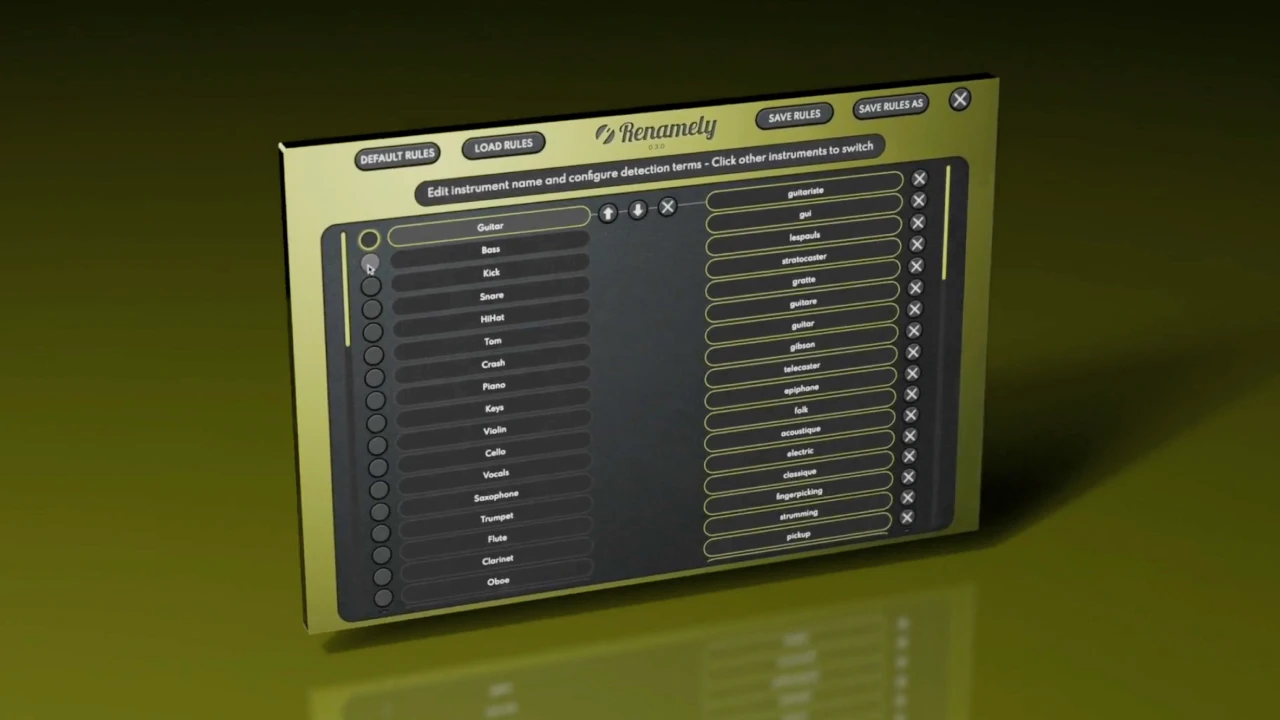
- Customisable rules: want every keyboard to be called "Keys"? Add terms like "Keyboard, keys, Rhodes, Wurlitzer" and Renamely categorises them automatically.
- Smart preview: playback jumps straight to the first detected sound, so no more waiting through thirty seconds of silence on a kick stem. Waveforms are shown and you can move around the file.
- Full control: you can edit any suggested name by hand before applying.
- Sharing: save, share and import rule sets so a whole team uses the same conventions.
- Safety: duplicate detection and backup.
Our recommendation
Renamely
Rename hundreds of audio files in seconds.
$19 $38 -50%
Standalone app · Windows & macOS
See RenamelyThe workflow step by step
- Drag the stems folder into Renamely.
- Check the suggestions: Renamely proposes a name for every file based on your rules.
- Preview the ambiguous files: playback starts at the first sound.
- Fix whatever needs fixing.
- Apply: every file is renamed in one go.
- Import into your DAW: the tracks already have clear names.
Before / after
| Before | After |
|---|---|
| Audio 01.wav | Kick.wav |
| Track 15.wav | Vocal Lead.wav |
| Untitled 3.wav | Keys.wav |
| gtr_final_v2_OK.wav | Guitar.wav |
Who is it for?
- Mix engineers who receive sessions from many different clients.
- Producers who export lots of stems, for example from the Toool app.
- Studios that want the same naming conventions for the whole team.
- Anyone managing sample libraries who finally wants to find things.
Tips
- Start with a few simple rules (kick, snare, bass, vocal), then build them up project by project.
- Share your rules with collaborators so you receive files that are already well named.
- Keep names short: they stay readable in the DAW's tracks.
In short
Renamely turns a tedious task into a few minutes of checking: drag, check, apply. To compare with other solutions, see our pick of the best audio file renaming tools, and our complete workflow with Toool tools.