In short
- Built for audio: Renamely
- Most powerful on Windows (free): Bulk Rename Utility
- Cross-platform: Advanced Renamer
- On Mac: A Better Finder Rename
- Built into Windows: PowerRename (PowerToys)
File-name chaos has a real cost in 2027
A modern session easily holds dozens of tracks, hundreds of takes and stems exported for mixing, mastering or collaboration. The result: names like "Audio 1_03.wav", "Bounce final final v2.wav" or exports numbered with no logic. Hunting for the right file wastes time in every session, and sending badly named stems makes the engineer's job harder.
Classic renamers can replace text. What's new in 2027 are tools built for audio, which understand what they're renaming.
The 5 best renaming tools for 2027
1. Renamely: renaming built for audio
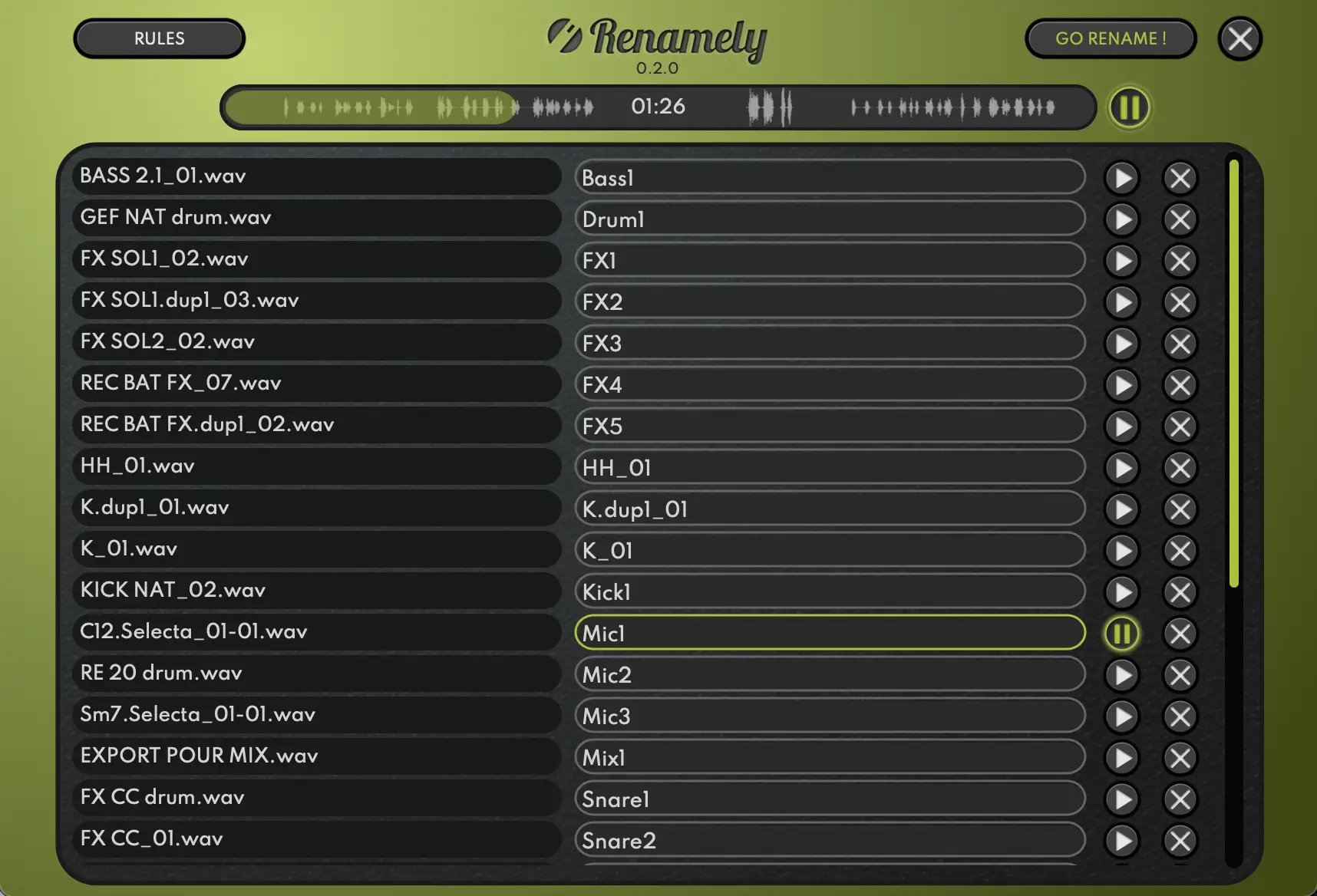
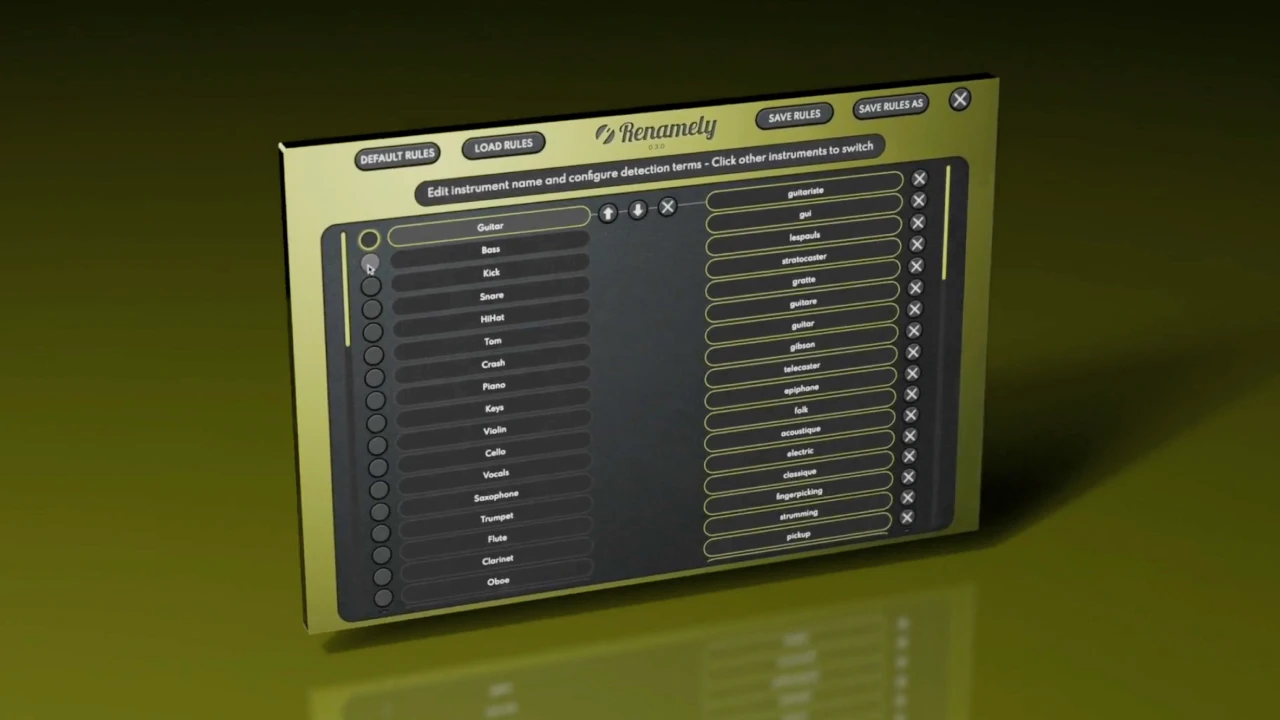
Renamely starts from a simple idea: an audio file should be named after what it contains. Drag in your takes or stems, and a mapping system suggests the instrument or role of each file (kick, snare, guitar, vocal…). Adjust if needed, and Renamely applies clean, consistent names across the whole project.
The detail that changes everything: instant preview, which jumps straight to the first detected sound. No more listening to thirty seconds of silence at the start of a kick stem to find out what it is. With the waveform displayed and customizable rules, you adapt the naming to the way you work.
Renamely
Rename hundreds of audio files in seconds.
$19 $38 -50%
Standalone app · Windows & macOS
See Renamely2. Bulk Rename Utility: the Windows toolbox
A dense interface but formidable power: regular expressions, numbering, dates, case… Ideal for big batches, as long as you know exactly what name you want, since it doesn't analyze the audio content.
3. Advanced Renamer: cross-platform and flexible
Combinable renaming methods and a preview before applying. It can read some file metadata, useful for well-tagged libraries.
4. A Better Finder Rename: the Mac reference
A mature, complete tool, well integrated with the Finder, with many renaming actions and a clear preview.
5. PowerRename: Microsoft's built-in solution
A right-click in Explorer, a search-and-replace with preview, and you're done. Perfect for quick fixes.
A simple naming convention for your sessions
| Element | Example | Why |
|---|---|---|
| Number | 01, 02, 10… | Keeps track order in any folder |
| Instrument | KICK, SNARE, BASS, VOX | Instant identification |
| Detail | IN, OUT, LEAD, BV | Distinguishes mics and roles |
| Version | V2, FINAL | Avoids overwriting or mix-ups |
| Result | 01_KICK_IN.wav · 10_VOX_LEAD_V2.wav | |
2027 verdict
For renaming any kind of file with text rules, Bulk Rename Utility, Advanced Renamer and A Better Finder Rename do the job very well. For audio files, Renamely goes further: it recognizes the instrument, lets you hear each sound instantly and keeps names consistent across the whole project. It's our pick for sessions that are finally organized in 2027. See also the plugin trends for 2027.
Frequently asked questions
What is the best software to rename audio files in 2027?
For audio files, Renamely is our pick: it automatically suggests the instrument (kick, snare, guitar, vocal…), lets you preview each file by jumping straight to the first sound, and applies consistent names across a whole project. $19, Windows and macOS. General-purpose renamers like Bulk Rename Utility or Advanced Renamer don't know what's in the sound.
Why name your audio files properly?
To find a sound quickly, send clear stems to an engineer, avoid import mistakes in the DAW and keep archives that are still usable years later.
What naming convention should you use for stems?
A simple convention: number, instrument, detail, version. For example 01_KICK_IN.wav, 02_KICK_OUT.wav, 10_VOX_LEAD_V2.wav. What matters is staying consistent across the project.
Is there a free renaming tool?
Yes: Bulk Rename Utility (Windows, free for personal use), PowerRename in Microsoft PowerToys, or the Finder's batch rename on macOS. They work with text rules, without analyzing the audio content.