In short
- Best A/B plugin 2027: Diffonic
- Best detailed reference analysis: ADPTR Metric AB
- Best guided referencing: Mastering The Mix REFERENCE
- Lightweight A/B: Ninja AB
- Free analysis: Voxengo SPAN
Why this category matters more and more in 2027
Plugins are cheaper and more numerous than ever, every one promising “analog warmth” and “pro sound”. Streaming normalization and AI mastering have also changed how mixes are judged. The result: being able to prove objectively that a change improves your sound has become a key skill, and the tools that allow it are among the most useful purchases of 2027.
The trend is clear: after years of reference tools full of graphs, producers want a simpler, more honest answer. Does it really sound better, yes or no? That's what blind testing gives you, and it's why our number one is built around it.
Comparison table
| Rank | Plugin | Approach | Best for | Price |
|---|---|---|---|---|
| 1 | Diffonic | Level-matched A/B + blind test | Proving a change really sounds better | $29 |
| 2 | ADPTR Metric AB | Reference + analysis | Detailed comparison with commercial tracks | ≈ $100 |
| 3 | Mastering The Mix REFERENCE | Guided reference | Visual guidance | See official site |
| 4 | Ninja AB | Fast A/B | Quick switching | See official site |
| 5 | Voxengo SPAN / your DAW | Analysis / basic A/B | Zero budget | Free |
Indicative prices as of October 2026. Check official sites before buying.
The best A/B and reference plugins for 2027
1. Diffonic: the best A/B plugin of 2027
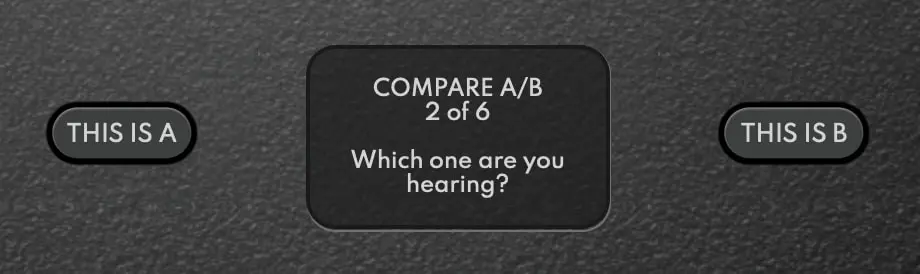
Diffonic wins because it answers the only question that really matters: does this change really improve my sound, or do I just think it does? Does the expensive compressor sound better than the free one? Does 192 kHz really beat 44.1? Is the master better than the mix, or just louder?
It automatically matches both signals in LUFS, so volume can no longer fool you. Then its Blind Test mode puts you to the test: 6 rounds where A and B are swapped after each answer, without labels or visuals, and a precision score at the end. Many certainties fall apart there. The DIFF button lets you hear only what differs between the two signals: if you hear almost nothing, the difference is negligible.
It's the tool that saves the most money: before buying a plugin, a blind test tells you whether it really changes anything. And with clients who confuse “louder” with “better”, a level-matched comparison played in front of them ends the debate.
- Real blind test with a score
- Automatic LUFS matching
- DIFF button to hear only the difference
- $29
- Focused on comparison, not spectrum analysis

Diffonic
Find out if a change really sounds better: level-matched A/B and blind test.
$29 $58 -50%
VST3 · AU · AAX · Windows & macOS
See Diffonic2. ADPTR Metric AB: detailed reference analysis
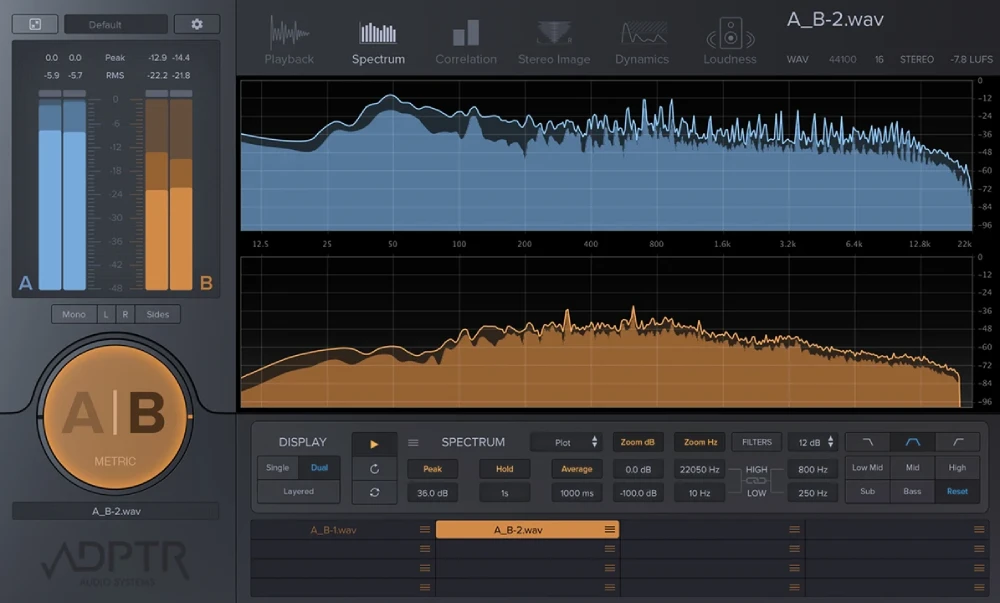
Image: Plugin Alliance / ADPTR Audio
Level-matched switching between your mix and several commercial references, with spectrum, loudness, dynamics, stereo and correlation analysis. Very complete, but dense, more than three times the price of Diffonic, and without a real blind test.
- Very complete analysis
- Multiple references
- Dense interface
- No blind test
3. Mastering The Mix REFERENCE: guided referencing
Shows visually where your mix differs from a reference. Useful for direction, but it doesn't tell you whether your own changes are really audible.
4. Ninja AB: fast switching
A minimal tool built for speed. Good for quick checks, without blind testing or difference listening.
5. Free options: your DAW and Voxengo SPAN
Basic A/B in your DAW and a good free spectrum analyzer. You'll have to match levels manually, and you won't get a blind test.
Which one should you choose?
- To know if a plugin, an export or a setting really sounds better: Diffonic.
- Before buying a plugin: a Diffonic blind test against what you already own.
- With clients who confuse loud and good: Diffonic's level matching.
- For detailed analysis against commercial tracks: Metric AB, alongside Diffonic.
Verdict 2027
Reference tools tell you where your mix stands; Diffonic tells you whether what you're doing really changes anything. In 2027, that second answer is the one that saves the most time and money, for $29. It's the A/B tool to install first.
Frequently asked questions
What is the best A/B plugin in 2027?
Diffonic tops our 2027 ranking: automatic LUFS level matching, a real 6-round blind test with a final score and a DIFF button to hear only the difference, for $29. Metric AB remains the reference for detailed analysis against commercial tracks.
Why do I need to match levels when comparing?
Because the ear systematically prefers the louder version, even by 0.5 dB. Without level matching, you're comparing volumes, not processing.
What's the difference between a reference plugin and a blind test?
A reference plugin compares your mix with commercial tracks. A blind test hides which version you're hearing and scores you, to check whether you really hear a difference. Diffonic is built around this second approach.
Can I really not hear the difference between 44.1 and 192 kHz?
In properly level-matched blind tests, most listeners don't reliably tell them apart on a finished mix. The only way to know for your own ears is to test blind, which is exactly what Diffonic does.