What compression is really for
A compressor reduces the gap between loud and quiet passages. When the signal goes above a certain level, it's turned down; the result is more even, denser and easier to place in a mix. But compression isn't only about "control": depending on the settings, it can also bring out a snare's attack, thicken a bass or glue the elements of a bus together.
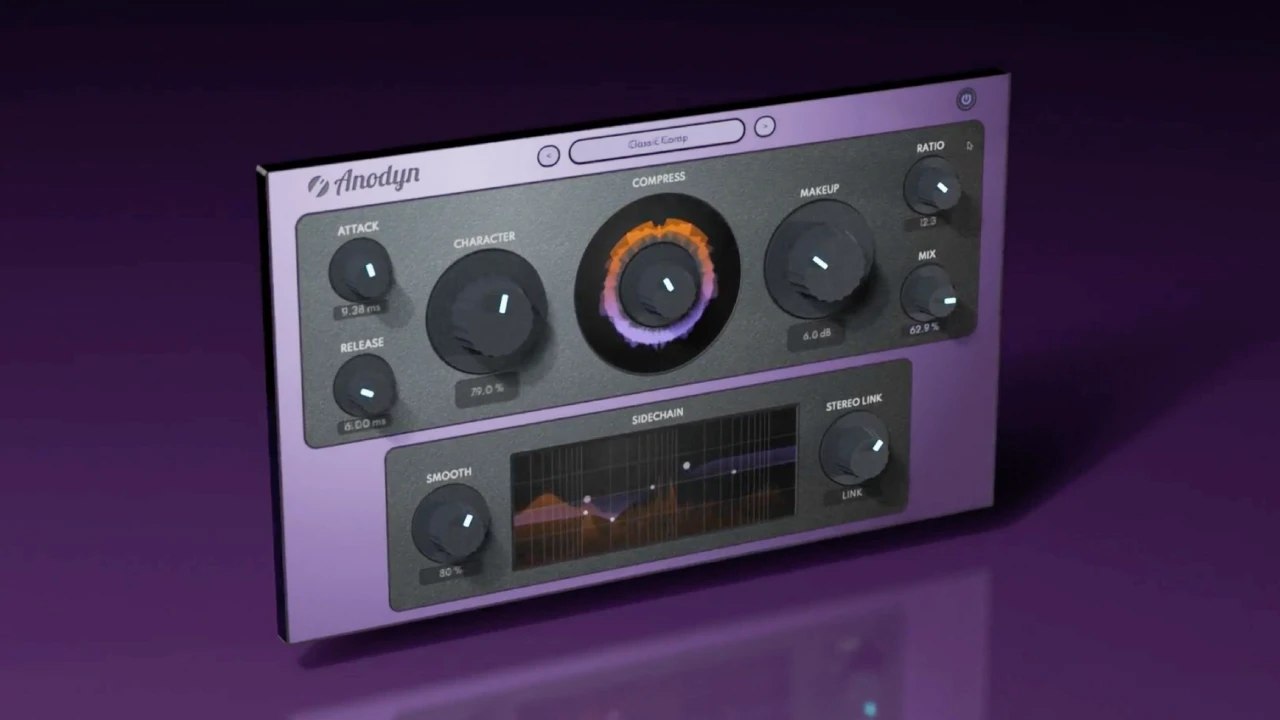
Anodyn starts from that idea: keep a compressor's classic controls and add a few that genuinely change the sound, rather than a long list of parameters.
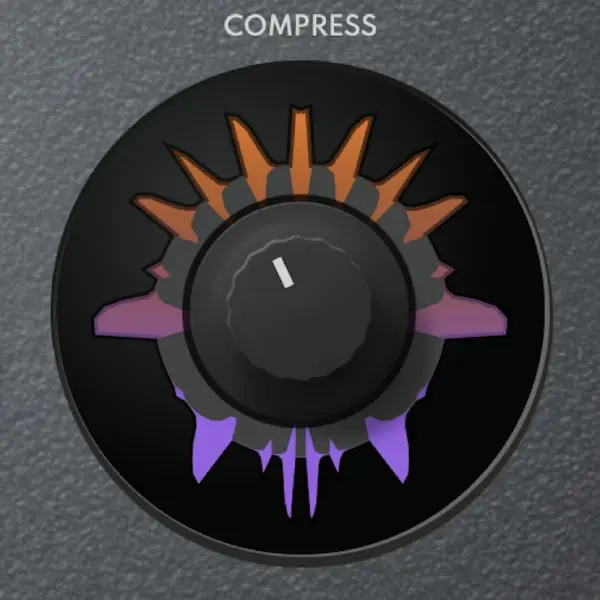
The basic controls
- COMPRESS: the amount of compression. The higher it goes, the more the signal is reduced once it crosses the threshold.
- RATIO: how strong the reduction is. A low ratio (2:1) stays gentle and natural; a high ratio heads towards limiting.
- ATTACK: how fast the compressor reacts. A slow attack lets the start of transients through (more punch); a fast attack flattens them (more control).
- RELEASE: how long it takes to recover. Too short and the sound "pumps"; too long and the compressor never lets go, so the sound gets squashed.
- MIX: the blend between compressed and original signal. Built-in parallel compression.
These five controls do 80 % of the work. What sets Anodyn apart are the four controls that come next.
CHARACTER: from clean to harmonically rich

The CHARACTER knob takes the compression from a clean, transparent sound to one that's increasingly rich in harmonics. Fully up, the effect is like stacking several compressors: denser, more coloured, more "vintage".
- Low: to control without colouring (mix bus, pop vocals, light mastering).
- Middle: to add body to a vocal, a guitar or a bass.
- High: for drums that sound thick, a drum bus or an obvious effect.
As always with harmonics, the sound seems louder as CHARACTER goes up. Compare at matched volume before deciding.
SMOOTH: fast and modern, or soft and vintage

SMOOTH refines how the (feedforward) compressor behaves. To the left, the response is fast, precise and modern; to the right, it becomes softer, rounder and closer to a vintage compressor.
- Left: tight peak control, snappy drums, electronic sounds.
- Right: natural vocals, mix bus, acoustic instruments, compression you don't want to hear.
Anodyn
One compressor, every color: from transparent to vintage.
$59 $118 -50%
VST3 · AU · AAX · Windows & macOS
See AnodynSIDECHAIN EQ: choosing what triggers the compression

By default, a compressor reacts mostly to low frequencies, which carry the most energy. The classic result: on a bus, every kick hit pulls the whole mix down. The built-in SIDECHAIN EQ lets you equalise the detection signal without changing what you hear.
- Cut the lows in the sidechain: the compressor stops reacting to the kick and bass; no more unwanted pumping.
- Emphasise the mids on a vocal: the compression follows the words better.
- Emphasise a specific range for a deliberate effect, such as rhythmic pumping.
STEREO LINK: from dual mono to linked stereo

STEREO LINK moves gradually from independent compression on each channel (dual mono) to fully linked compression. Linked, the stereo image stays stable: a loud element on the left doesn't make the mix "slide". In dual mono, each side is controlled separately, which can widen the sound but also unbalance it. In-between positions are often the best compromise.
The main compressor types, and where Anodyn fits
- VCA: fast and precise, ideal on buses.
- FET: very fast and coloured, popular on vocals and drums.
- Optical: slow and soft, very natural on vocals and bass.
- Valve (vari-mu): soft and warm, favoured on the mix bus.
Anodyn doesn't imitate a particular model. With SMOOTH (precise or soft) and CHARACTER (clean or coloured), you move between these families with a single plugin.
Starting settings
| Source | Starting point |
|---|---|
| Vocals | Ratio 3:1, medium attack, medium release, CHARACTER low to medium, SMOOTH to the right, lows cut in the sidechain |
| Drum bus | Ratio 4:1, slow attack to keep the punch, short release, CHARACTER high, MIX around 50 % |
| Bass | Ratio 4:1, medium attack, medium release, CHARACTER medium, STEREO LINK fully up |
| Mix bus | Ratio 2:1, slow attack, 1 to 2 dB of reduction, CHARACTER low, SMOOTH to the right, lows cut in the sidechain |
These values are starting points, not recipes: always adjust by ear.
Mistakes to avoid
Compressing because you "should"
Every compressor needs a reason: an uneven level, a lack of density, a need for cohesion. Otherwise, leave it out.
Judging with a louder level
A compressed signal with output gain almost always seems better. Compare at matched volume, ideally with Diffonic, which aligns levels automatically.
Crushing transients
Too fast an attack takes the life out of drums or an acoustic guitar. Slow the attack down or use MIX to bring back the original.
Accidental pumping
It often comes from the lows in the detection: cut the lows in the SIDECHAIN EQ and lengthen the release a little.
In short
The classic controls do the heavy lifting; CHARACTER, SMOOTH, SIDECHAIN EQ and STEREO LINK then let you choose the colour, the behaviour, the detection and the stereo image. For step-by-step examples by instrument, see our Anodyn tutorial, along with our comparison of the best compressors of 2027.